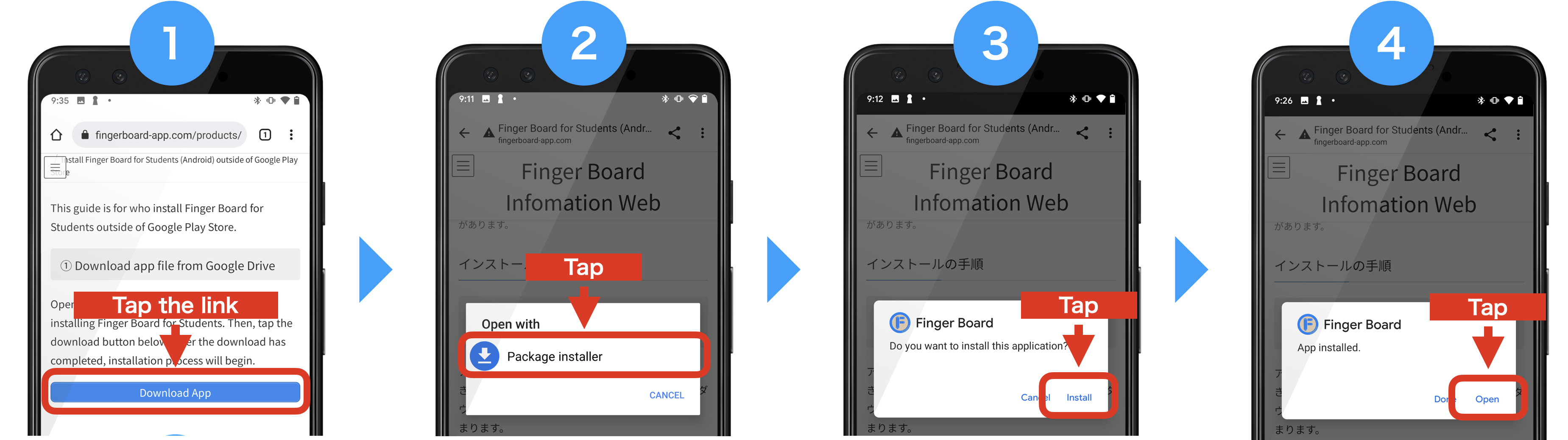
This guide is for who install Finger Board for Students outside of Google Play Store.
① Download app file from Google Drive
Open this page with the device which you are installing Finger Board for Students. Then, tap the download button below. After the download has completed, installation process will begin.
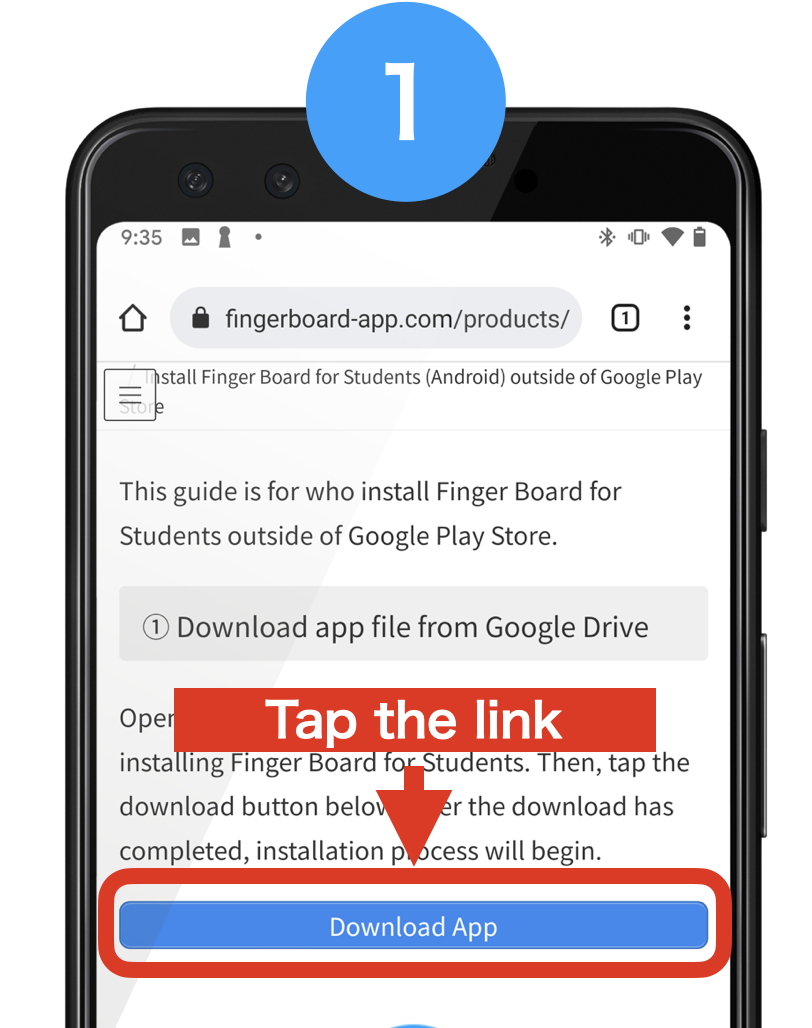
② Open file with Package Installer
You can install app by selecting the ‘Package Installer’ in app selection dialog.
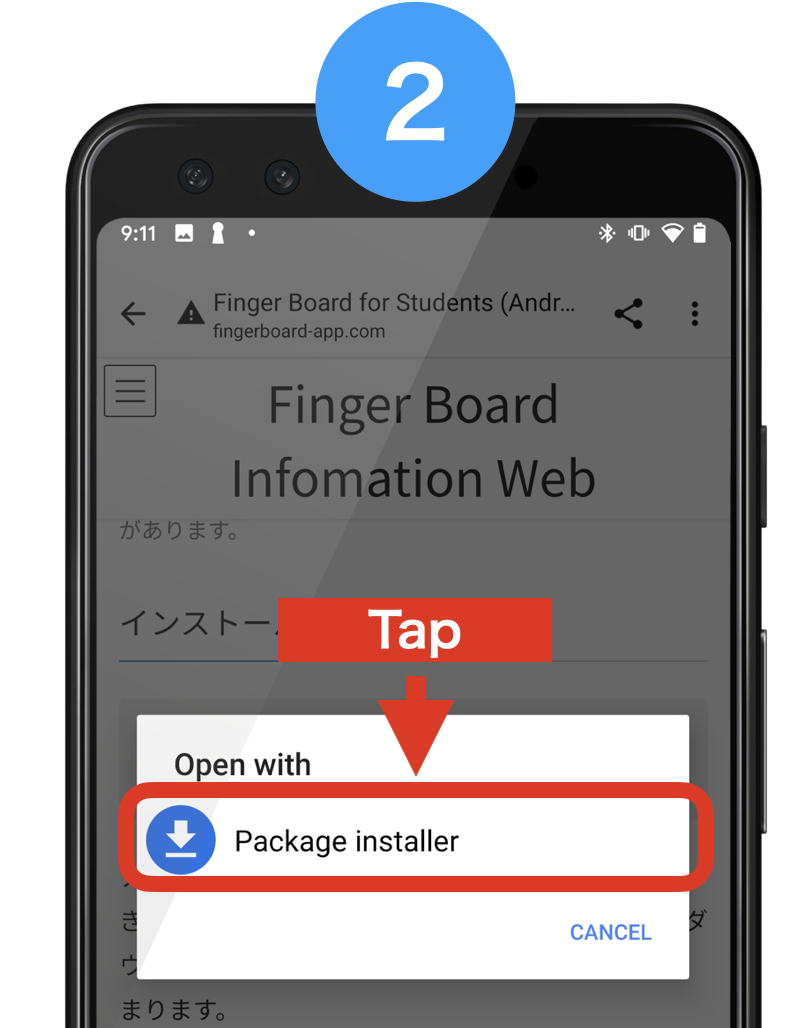
You can continue installing if external apk install is allowed on your device. If it’s not allowed, please change permission setting following the instructions below. (You can open the instruction by tapping the text below)

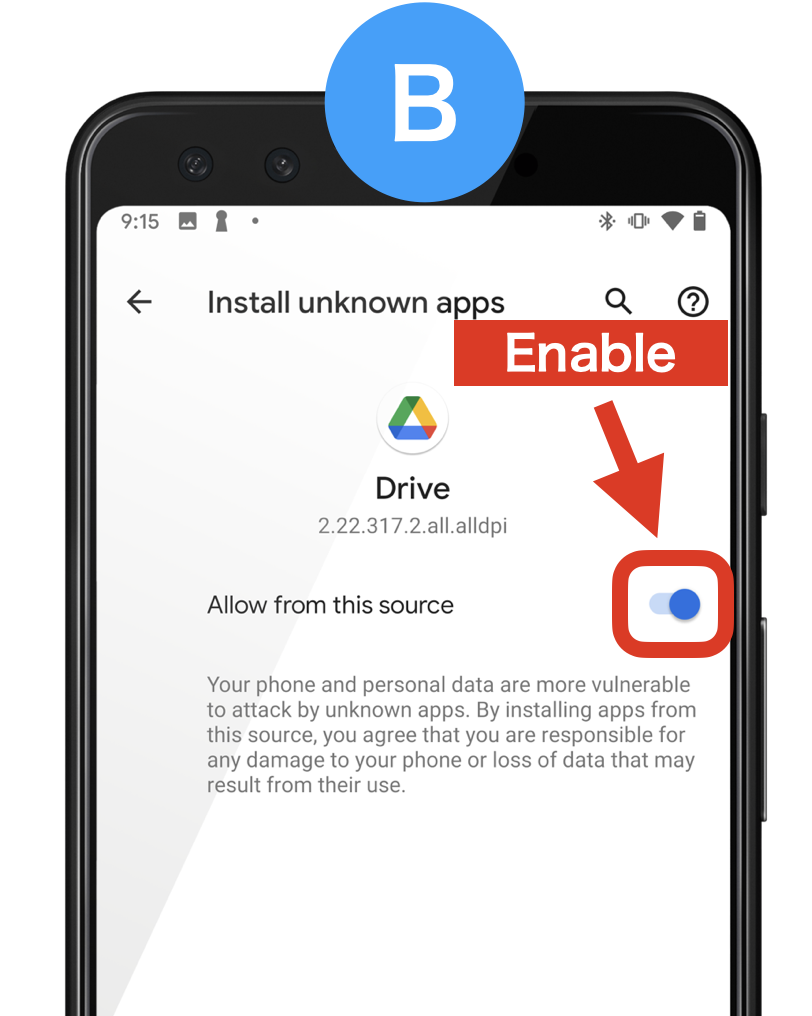
③ Start Install
To install the app from the downloaded file, select ‘install’ in install dialog.

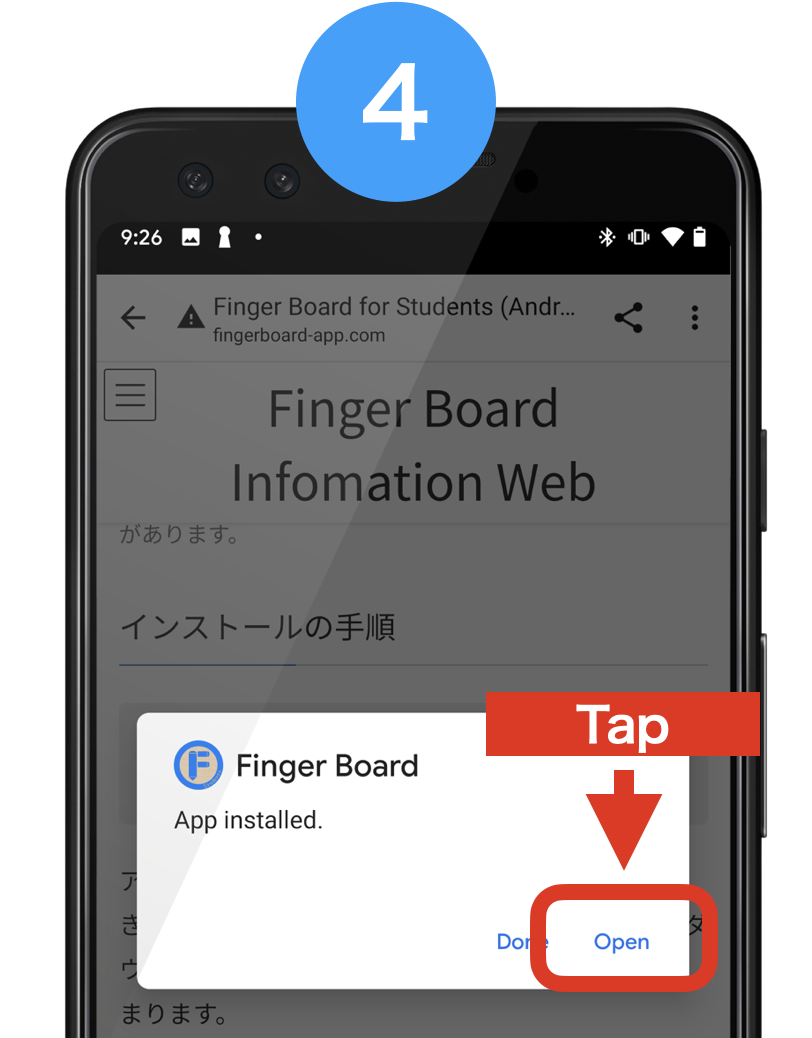
④ Open the App
After finishing installing, the confirmation dialog will be shown. Select ‘open’ to open Finger Board for Students.
Summary
You can also check the installation procedure with screenshots below.